SHAREit: Transfer, Share Files6.27.49
Publisher Description


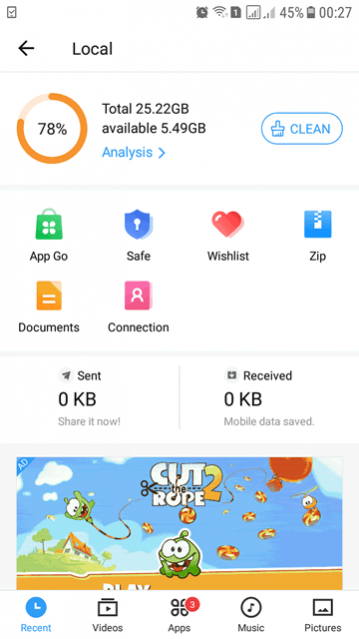
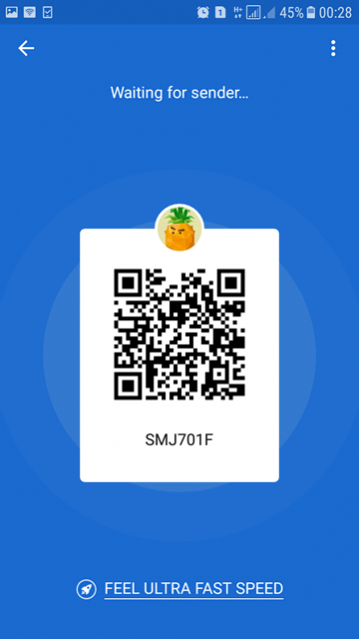
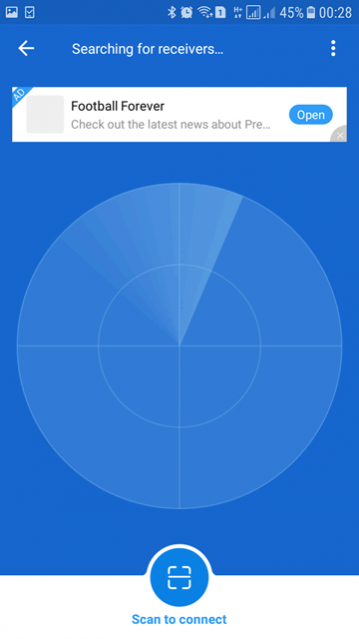
Send and receive big files & games, Video Downloader, file manager
It’s time to Share it!
Share files, apps, games, videos, photos, music, recordings, documents and more with the SHAREit file transfer app. As a super-fast and safe app to transfer big files, trusted by 2 billion+ users globally, SHAREit is the secure way to share files.
With SHAREit you can also download videos and photos directly with downloader, manage files on your phone with file manager. File transfers from Mobile to PC and vice versa are now faster and easier.
New function: when changing your phone, you can easily transfer contacts, apps, videos, photos, music, recordings, documents from an old phone to a new one through SHAREit's phone clone function.
It's super easy to use! And the best part? It's free!
🔥 Why you must use SHAREit, the #1 file share & data transfer app?
🚀 THE FASTEST FILE SHARING AND APP SHARING IN THE WORLD
With 200 times faster than Bluetooth, the highest speed goes up to 42MB/s. Share and receive files without any data consumption, transfer files without any quality loss.
🔒 HIGH PRIVACY & DATA SECURITY
We know privacy and data security are important, so we make sure they're protected in the best way while you enjoy your files transfer, for free. With SHAREit, you can quickly and securely send and share any file, anywhere in the world.
👍 POWERFUL CROSS-PLATFORM TRANSFERRING, SUPPORTS ALL TYPES OF FILES
Experience the best data-free file transferring and sharing app that offers cross-platform transferring, supports all types of files and makes your life easier. You don't have to worry about the size or type of data anymore because SHAREit helps you send large files without limitation across all your devices. Transfer: Apps, Games, Photos, Movies, Videos, Music, GIFs and Wallpapers with just one tap!
⬇️ FAST DOWNLOADER
Support downloading videos and photos. Easily download videos and photos directly to your device.
📀 INFINITE HD & SELECTIVE ONLINE VIDEOS
Watch unlimited high-definition videos find high-quality and fun new video content every time you open the app.
🎶 ELEGANT MUSIC PLAYER - AUDIO PLAYER
SHAREit Music Player is the best way to listen to your favorite songs. It's a powerful and user-friendly audio player that does much more than just play music.
📲 PHONE CLONE
Phone Clone (Smart Switch) is a very handy data migration function when you change phones. You can easily transfer contacts, apps, videos, photos, music, recordings, documents from old phone to new phone. Samsung, Transsion, Xiaomi, OPPO, vivo, Huawei, OnePlus, iPhone and other smartphones all support this function.
💙SHAREit features:
TRANSFER GAME APPS: A new PUBG One Click Transmission feature - within seconds transfer large game apps, without needing to download the game cache file.
DOWNLOADER: Save videos and photos from WhatsApp, Facebook and Instagram for free.
FILE MANAGER: Manage the biggest files, move files or delete them.
✨ More features:
Safebox: Easily hiding and encrypting photos and videos you prefer others not to see.
PDF Conversion: Conversions between PDF and images.
❤️ Download SHAREit now, the perfect app to share and transfer files! If you like it, SHARE it with your friends! ❤️
Share, Watch & Play. All day. With SHAREit.
About SHAREit: Transfer, Share Files
The company that develops SHAREit: Transfer, Share Files is Smart Media4U Technology Pte.Ltd.. The latest version released by its developer is 6.27.49. This app was rated by 27 users of our site and has an average rating of 3.2.
To install SHAREit: Transfer, Share Files on your Android device, just click the green Continue To App button above to start the installation process. The app is listed on our website since 2026-09-16 and was downloaded 9,416 times. We have already checked if the download link is safe, however for your own protection we recommend that you scan the downloaded app with your antivirus. Your antivirus may detect the SHAREit: Transfer, Share Files as malware if the download link to com.lenovo.anyshare.gps is broken.
How to install SHAREit: Transfer, Share Files on your Android device:
- Click on the Continue To App button on our website. This will redirect you to Google Play.
- Once the SHAREit: Transfer, Share Files is shown in the Google Play listing of your Android device, you can start its download and installation. Tap on the Install button located below the search bar and to the right of the app icon.
- A pop-up window with the permissions required by SHAREit: Transfer, Share Files will be shown. Click on Accept to continue the process.
- SHAREit: Transfer, Share Files will be downloaded onto your device, displaying a progress. Once the download completes, the installation will start and you'll get a notification after the installation is finished.
Program Details
System requirements
Download information
Pricing
Version History
version 6.27.49_ww
posted on 2026-09-16
version 6.24.18_ww
posted on 2023-09-26
Fixed bugs, improved performance, now SHAREit is even better to use.
version 6.1.68_ww
posted on 2021-09-10
6.0 brand new version brings an upgraded experience ! More refreshing interface, lighter app size and smoother transfer experience.
SHAREit is committed to providing you with a more convenient and easy-to-use experience. Any queries or suggestions during using the app, please feel free to contact feedback_Android@ushareit.com.
version 6.1.48_ww
posted on 2021-08-26
1.Added a system cache clearing feature, which allows more storage space to be freed
version 6.1.38_ww
posted on 2021-08-20
Optimized the reconnection after disconnection, and improved on connection experience and efficiency.
SHAREit is committed to providing enhanced convenience and ease of use. Should you have any query or feedback, please contact us at feedback_Android@ushareit.com.
version 6.0.48_ww
posted on 2021-06-11
1.The sender and receiver pages have been redesigned to be more user-friendly!
2. Optimized playback experience.
version 5.5.28_ww
posted on 2020-06-05
1.The sender and receiver pages have been redesigned to be more user..Cfriendly!
2. Optimized playback experience.
version 5.4.8_ww
posted on 2020-04-24
1.Optimized file transfer experience
version 5.3.89_ww
posted on 2020-04-12
1. Fixed the problem of incorrect display of the receiver's avatar on the sender's device under some circumstances.
version 5.3.78_ww
posted on 2020-04-04
1. Optimized the speed of finding the receiver.
2. Optimized playback experience.
